
Odoo BigQuery Connector.
Export Odoo data to Google BigQuery and keep it there reliably. Batching, staging, recovery, and full logs handle the operational reality that cheaper copycats skip. Incremental sync is standard.



Why Engineering Teams Choose Niyu
Incremental sync is table stakes. Reliability is the product.
Plenty of connectors can export changed rows. Far fewer survive a failed batch, a stuck job, or a schema change at ten million rows. Niyu's connector installs inside Odoo and treats recovery, logging, and warehouse accuracy as the main job.
Built to survive real data volume.
Exports run in a separate processing layer with batching and staging tables, not inside Odoo's request cycle. Large tables load without timing out or crashing workers.
- ✓Batched loads through staging tables, not one giant dump.
- ✓A separate processing layer keeps Odoo responsive during sync.
- ✓Tested on databases with 10M+ records.
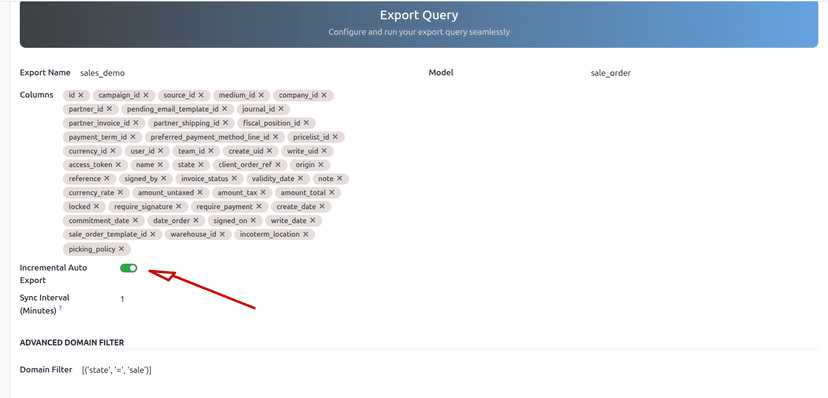
When something breaks, you can see it and fix it.
Query logs and change logs record every run. Error states are explicit, stuck jobs can be recovered, and a hard refresh rebuilds a table from scratch when you need a clean slate.
- ✓Query logs and change logs for every sync run.
- ✓Explicit error states and stuck-state recovery.
- ✓Hard refresh to rebuild a table cleanly.
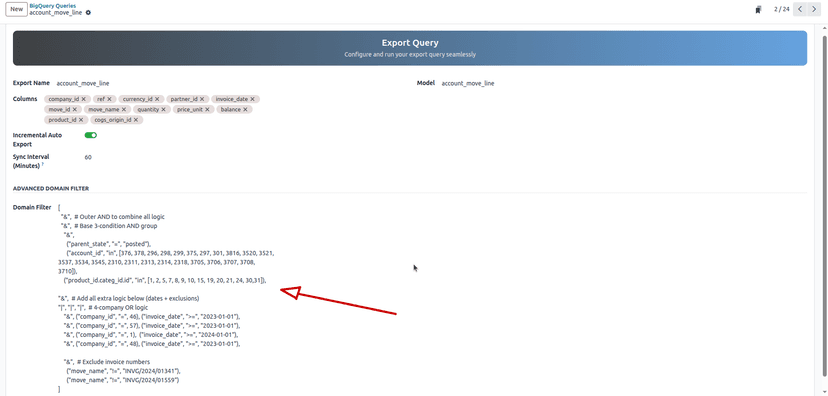
BigQuery stays in step with Odoo.
Change logs feed a BigQuery MERGE so inserts, updates, and deletes all land in the warehouse. Incremental sync on write_date is standard, so only changed records move on each run.
- ✓BigQuery MERGE applies inserts, updates, and deletes.
- ✓Incremental sync on write_date as the default, not an upsell.
- ✓Relational and Selection fields flattened into clean SQL columns.
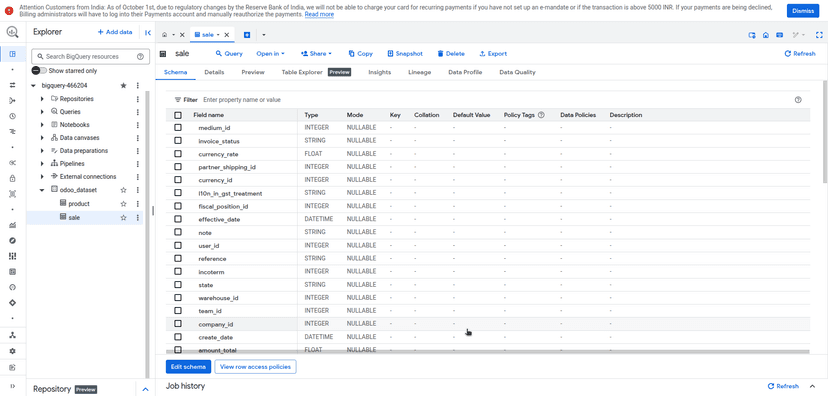
You pick the data. Your BI tools read it instantly.
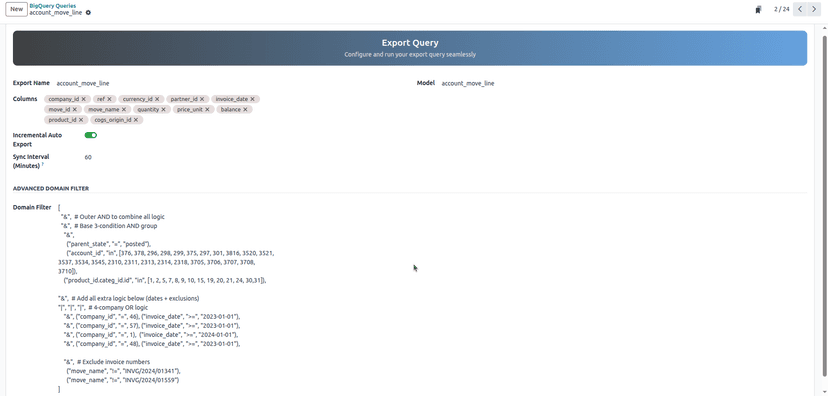
Select exactly which tables and columns to export and filter records with native Odoo domains, so sensitive fields stay out of the warehouse. Once data lands, your BI stack queries it directly.
- ✓Column selection and domain filtering keep PII out.
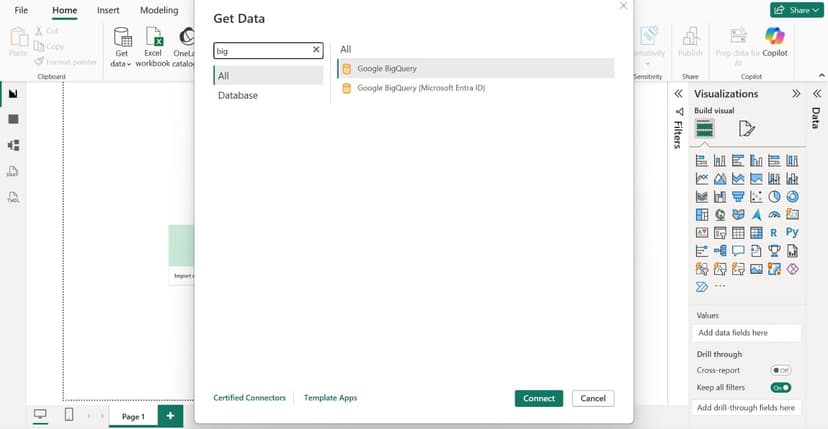
- ✓Feeds Power BI, Looker Studio, and Tableau directly.
- ✓No CSV exports, no manual refresh, no out-of-memory errors.
Enterprise Specs
Built for High-Volume Architecture.
We optimize for latency and integrity. From Odoo's complex relational fields to API rate limits and near-real-time scheduling, the heavy lifting is handled for you.
Technical Capabilities
The connector handles Odoo's specific data quirks out of the box.
Direct Connection
Uses a Google Service Account (JSON key). No middleware servers to run.
Odoo.sh Ready
Compatible with Odoo.sh, on-premise, and cloud hosting.
No Row Limits
Tested on databases with 10M+ records. Built for volume.
Audit Logs
Full traceability of every sync job directly in the Odoo backend.
Error Recovery
Auto-retries failed batches and recovers stuck jobs without breaking the pipeline.
Multi-Version
Supports Odoo v12 to v19 (Community and Enterprise).
BigQuery connector questions
How does the connector handle large tables without timing out?+
Exports run in a separate processing layer that loads data in batches through staging tables, so the work does not happen inside Odoo's request cycle. That is what keeps multi-million-row tables from timing out or crashing workers.
What happens if a sync fails partway through?+
Every run is logged with an explicit status. Failed batches retry, a stuck job can be recovered instead of left hanging, and a hard refresh rebuilds a table from scratch when you want a clean slate.
Is the sync incremental?+
Yes. Incremental sync on write_date is the default, so only changed records move on each run. It is standard, not an add-on. The real work is the reliability around it: batching, staging, recovery, and logs.
How does it keep BigQuery in sync with updates and deletes?+
Change logs feed a BigQuery MERGE that applies inserts, updates, and deletes, so the warehouse matches the current state of your Odoo data rather than drifting over time.
Can I choose which tables and columns to export?+
Yes. Pick the tables and columns you want and filter records with native Odoo domain syntax, so sensitive fields and irrelevant rows never reach the warehouse.
Which BI tools and Odoo versions does it support?+
Once data is in BigQuery it feeds Power BI, Looker Studio, Tableau, and similar tools directly. The connector supports Odoo v12 to v19, Community and Enterprise, on Odoo.sh, on-premise, and cloud hosting.
See how teams run this in production in our case studies.
Warehouse Odoo data without the 2 a.m. pages.
Buy direct for the best price, or book a call to review your data architecture.
Need help choosing, or a custom setup? Talk to us or book a call.